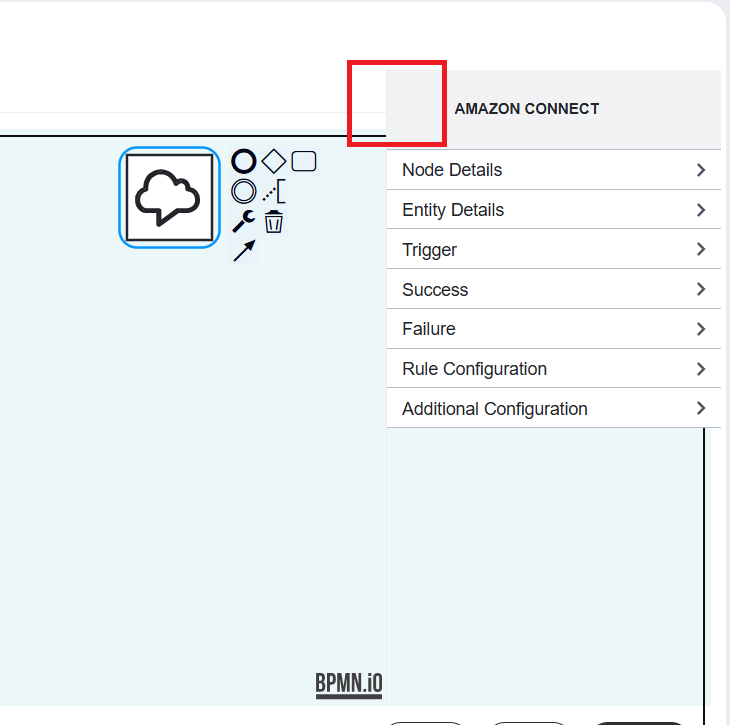
In the above screenshot, you can see property panel header icon is empty, these are not coming for my custom elements, for default they are working. I am not sure which services to extends and also I could not find the example in github example repos.
I am using Angular, can anyone guide me how to add property panel header icon for my custom elements.
To fix the missing header icon for custom elements in the bpmn-js properties panel, you need to map your custom element’s type to a corresponding CSS class in your stylesheet using the standard .bpmn-icon-* naming convention. The properties panel header provider dynamically resolves icons based on the element type, so defining this style and ensuring your custom element definition registers the correct type will make the icon render just like it does for default elements. Are you running into any specific issues with the CSS class mapping, or would you like an example of how to configure the element descriptor in your Angular project?
This helped clarify the icon issue. I didn’t realize the custom element type needed to match a CSS class. I’ll check the type mapping and stylesheet first.